
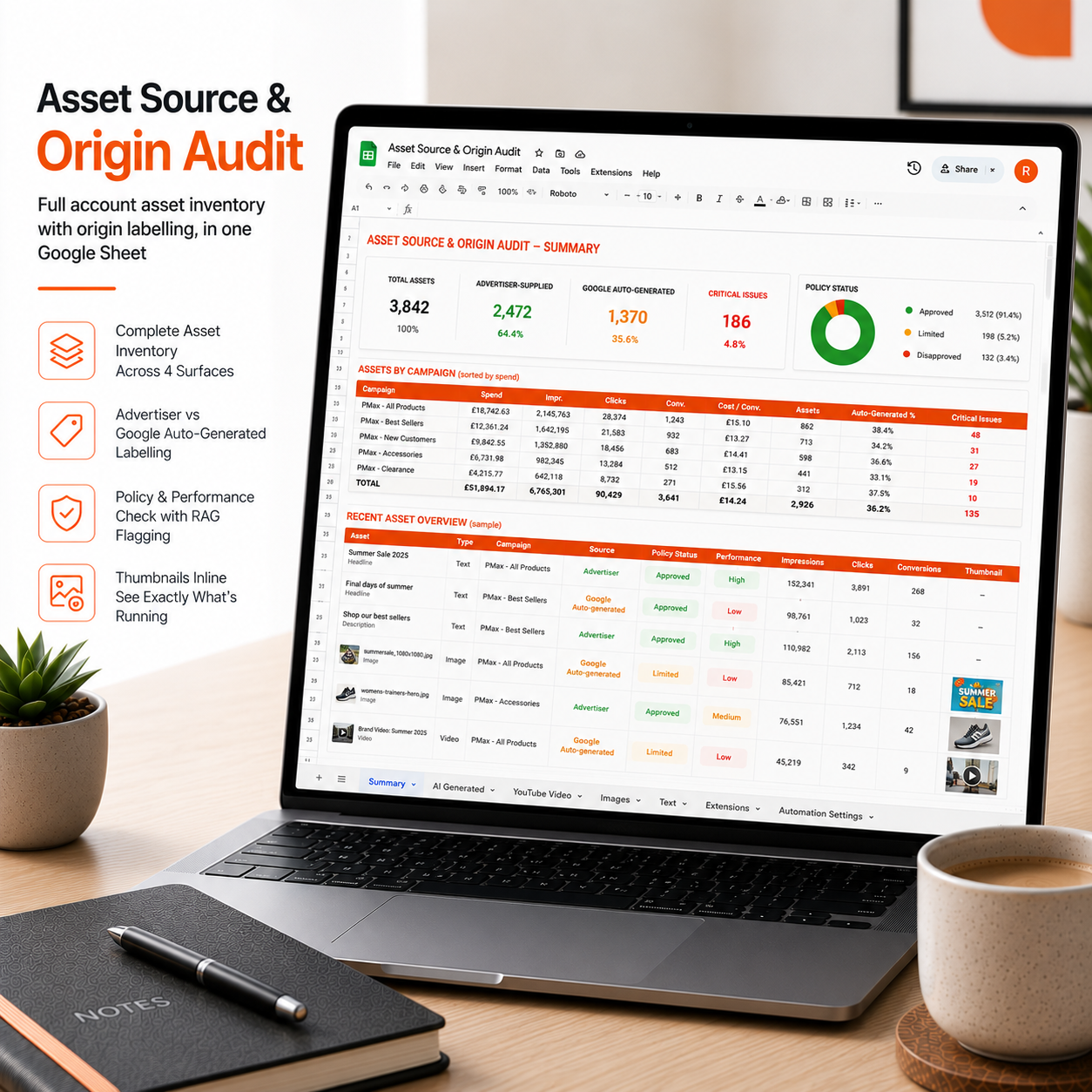
Asset Source & Origin Audit
Google now creates and serves ad assets on your account automatically. Some pass review. Some don't. This finds every one, tells you who made it, and flags the ones putting your account at risk.
Problem it solves:
Google's July 2026 Advertising Programme Terms place a continuing obligation on advertisers to review every automatically created asset. Legal risk for anything an AI-generated asset claims, from pricing to product details, stays with the account holder, not Google. Most accounts have no single view of these assets, no record of which were Google-generated versus advertiser-supplied, and no evidence trail if a claim ever gets challenged. Auto-generated assets sit across four separate surfaces in the account (ads, Performance Max asset groups, campaign extensions, account-wide), and Google's own interface doesn't bring them together in one place.
What it does:
- Pulls every asset across all four link surfaces in one pass
- Tags each asset advertiser-supplied or Google auto-generated
- Checks policy status and performance label on every asset
- Flags auto-generated assets with a low performance label or a policy problem as Critical
- Shows image and video thumbnails inline, so you can see exactly what's running without opening the account
- Groups everything by campaign with subtotalled spend, sorted highest cost first
- Reports which asset automation switches are live per campaign, so you know why the assets are appearing
- Marks any metric Google doesn't report as "Not reported", never a misleading zero
Output:
One Google Sheet, seven tabs: Summary, AI Generated, YouTube Video, Images, Text, Extensions, Automation Settings. RAG colour coding throughout.
Runs:
Monthly, scheduled, or on demand.
Everything in this script
- Paste it in once. Comes with a plain English setup guide, takes about 10 minutes, no developer needed.
- Runs automatically. Set the schedule once and it does the checking for you.
- No third-party access. The script runs inside your own Google Ads account. We never touch your data.
- One-time price. Buy it, own it. No subscription and no retainer.
From checkout to running in minutes
Purchase your product
Choose your digital product and complete the secure checkout.
Get instant access
Receive your download link instantly after successful payment.
Start using it
Download the file and start using it right away with easy instructions.
Before you buy
How do I install it?
Every script comes with a step-by-step setup guide. You paste the script into your own Google Ads account under Tools, then Scripts, set the schedule, and it runs from there. About 10 minutes, no technical background needed. If you'd rather not do it yourself, we offer an installation service.
Do you need access to my account?
No. The script runs entirely inside your own Google Ads account. Nothing is sent to us and we never see your data.
Will this change anything in my account?
No. This script is read-only. It reads your account data, builds your report and sends your alert. It never edits campaigns, changes bids, pauses ads or touches any settings. The only thing that changes is how much you know about your own account.
How do I get the script after buying?
Instant digital delivery. You'll get a download link straight after checkout and a copy by email.
What if Google changes something and it breaks?
Every script is covered by our 12-month update guarantee. If a platform change affects your script within a year of purchase, we send you the updated version free.
Do you offer refunds?
As a digital product delivered instantly, refunds are covered by our Refund Policy, which you can read before buying. If something doesn't work as described, contact us and we'll put it right.
How do I get the script after buying?
Instant digital delivery. You'll get a download link straight after checkout and a copy by email.